A CRM with email sequences, MVP in 30 days
SalesForge combines a CRM, automated email sequences and a reply inbox in one tool for sales teams. The team had a prototype and validated demand; we designed and launched the first working version of the product.
- UX/UI
- Web app
- Development
- Category
- Web
- Industry and model
- MVP · B2B
- Technologies
- React, Node.js, AWS
- Website
- salesforge.ai ↗
Challenge
The startup needed a working product rather than another mockup, and it had 30 days.
Cold email outreach, replies and the sales funnel usually live in three different tools. SalesForge was meant to bring them together in one simple interface and add AI features, and the first version had to be ready quickly so the team could show it to the market.
We started with user stories and wireframes, and built the design on a consistent set of components so new screens could be created quickly. We delivered the whole product in React, Node.js and AWS.
From a lead list to a deal in the pipeline
The product’s core flow fits into four steps.
- 01
Importing leads
A sales rep imports contacts and filters them by custom fields and companies.
- 02
Email sequence
They select leads, arrange the message steps and set the sending schedule.
- 03
Sending from multiple accounts
Messages go out from connected mailboxes, and replies land in a single inbox.
- 04
Results and pipeline
Opens and replies show up on the dashboard, and deals move through CRM stages.
One tool instead of three
Dashboard, sequences, email accounts and CRM, each module with the same layout and the same components.
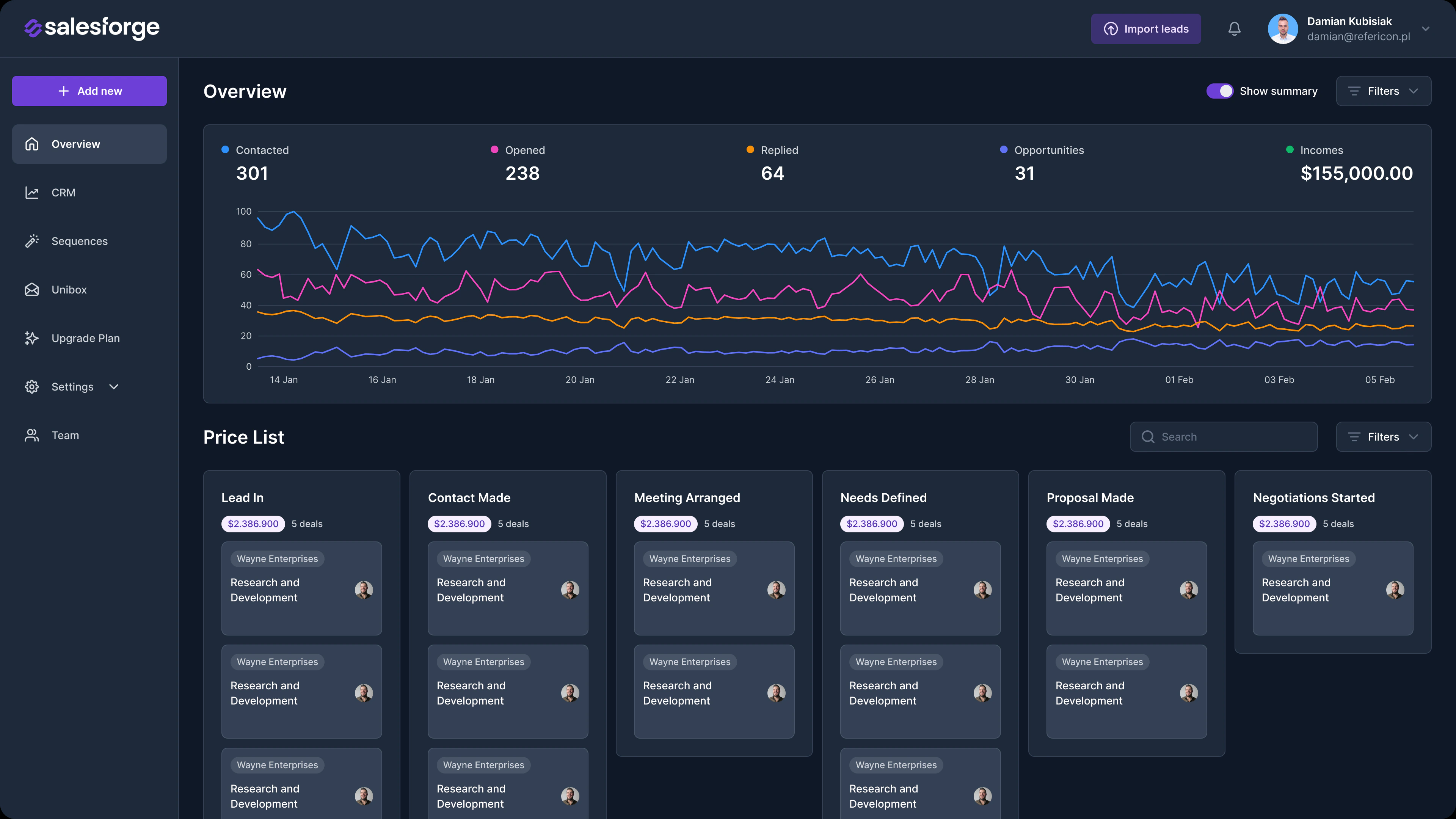
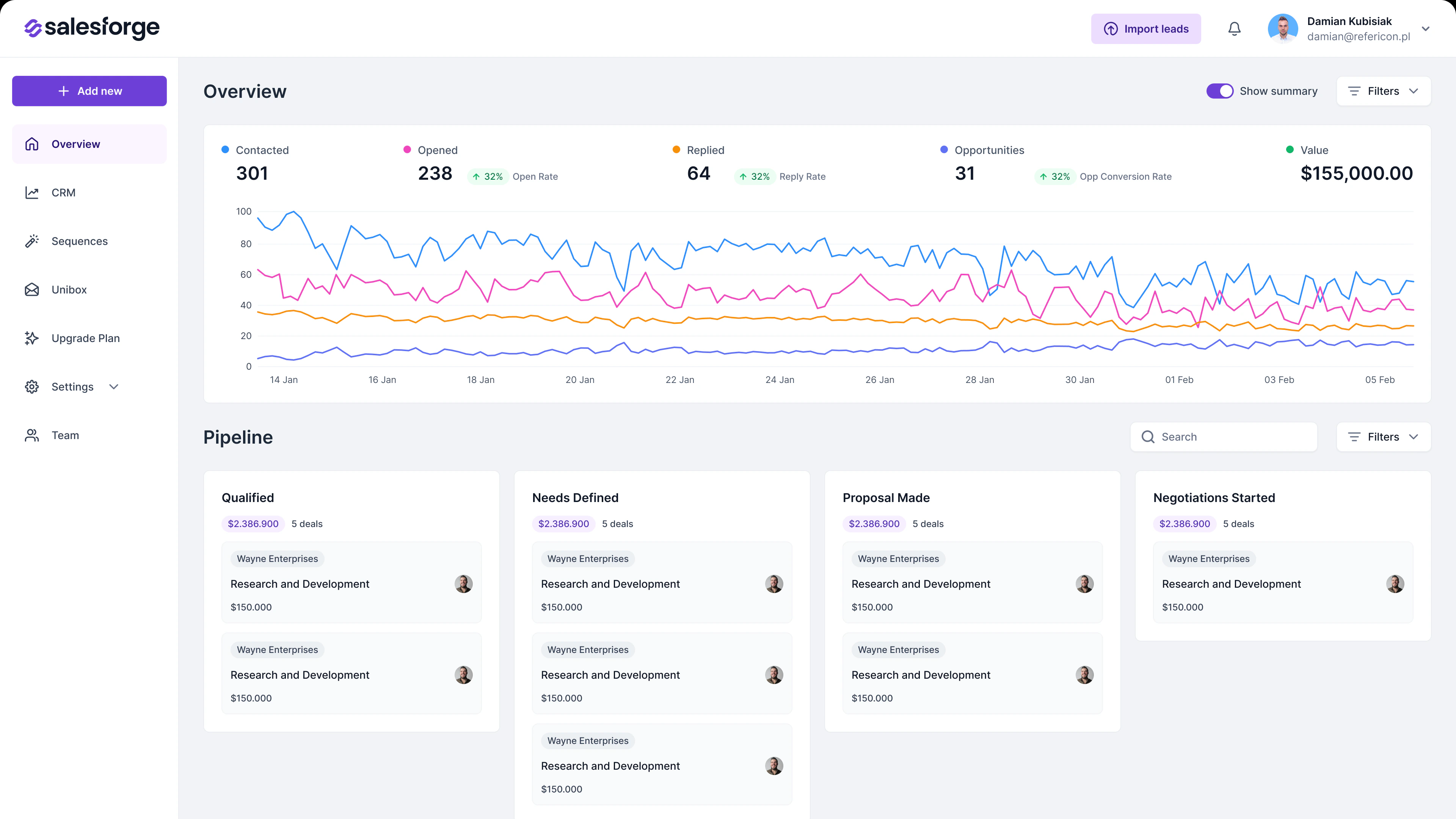
Results dashboard
At the top are the campaign numbers: how many people were contacted, how many opened and replied, how many deals were created and what they are worth. A chart shows results over time, with the pipeline of deals at each stage below it.
Email sequences
The sequence list shows which sequences are active and how they perform: contacts, opens, clicks and replies. A new sequence is created in four steps (leads, content, schedule and summary) with filters by custom fields and companies.
Email accounts
The team connects several mailboxes that sequences are sent from. Each one shows the number of messages sent in the last 30 days and which mailbox is the default.
CRM
Deals sit on a board with stages, from first contact to negotiation, showing the value and number of deals at each stage. The team sets up the stages and customer fields itself in the settings.
Light and dark mode
The entire dashboard works in both modes.
 LightDark
Scope of work
UX/UI
User stories, wireframes and app design: dashboard, sequences, reply inbox, email accounts, CRM and sign-up.
Development
A React app with a Node.js backend on AWS.
Launch
Launching the MVP in production in 30 days.
Want a similar project?
Tell us about your idea and we will get back to you with specifics.